
The Great Data Migration

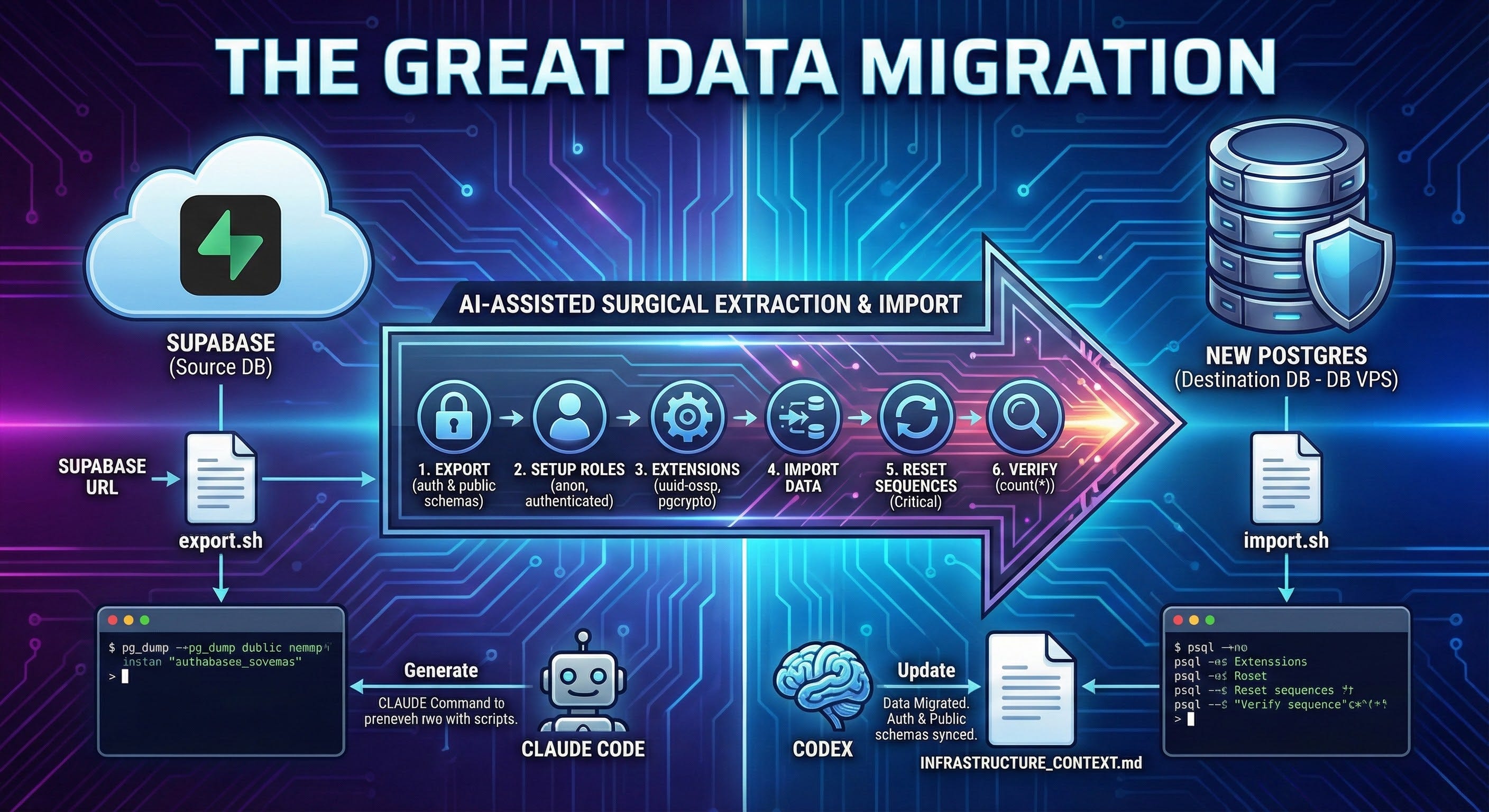
Objective: Extract your entire database from Supabase (including Auth users), sanitize it, and hydrate your new Postgres instance. This is the most dangerous phase; we will script it meticulously.
1. The Export Strategy
Supabase locks down superuser access. pg_dumpall fails. We need a surgical extraction.
The Export Script (export.sh)
Agent: Claude Code Prompt:
“Write export.sh accepting SUPABASE_URL.
Dump auth schema (Schema + Data).
Dump public schema (Schema + Data).
Exclude: storage, realtime, graphql (Supabase internals).
Use --clean --if-exists flags.”
2. The Import Logic
A. Roles
Supabase uses anon, authenticated, service_role. We must create these in our new DB, or the import will fail.
Prompt:
“Create setup_roles.sql. Create roles if not exist. Grant usage on public schema.”
B. Extensions
Supabase has 50 extensions. We only need uuid-ossp and pgcrypto. We install these manually in the import script.
3. The Sequence Trap
Critical: When you insert data with explicit IDs, Postgres sequences do not update. Next insert -> Duplicate Key Error.
Prompt:
“Write a SQL snippet to reset all sequences in public schema to MAX(id).”
4. The Master Import Script (import.sh)
Prompt:
“Combine everything into import.sh on db-vps.
Create Roles.
Create Extensions.
Import Auth.
Import Public.
Reset Sequences.
Run ANALYZE.”
5. Verification
Prompt:
“Run import. Compare SELECT count(*) FROM auth.users between Supabase and Local.”
Next Step: Data is live. App is ready. Let’s wire them together. Go to 12. Production Configuration.